Order cancelled
The recipe that tells customers their order was cancelled and invites them to reply if it is a mistake. An order update, available from the Starter plan.
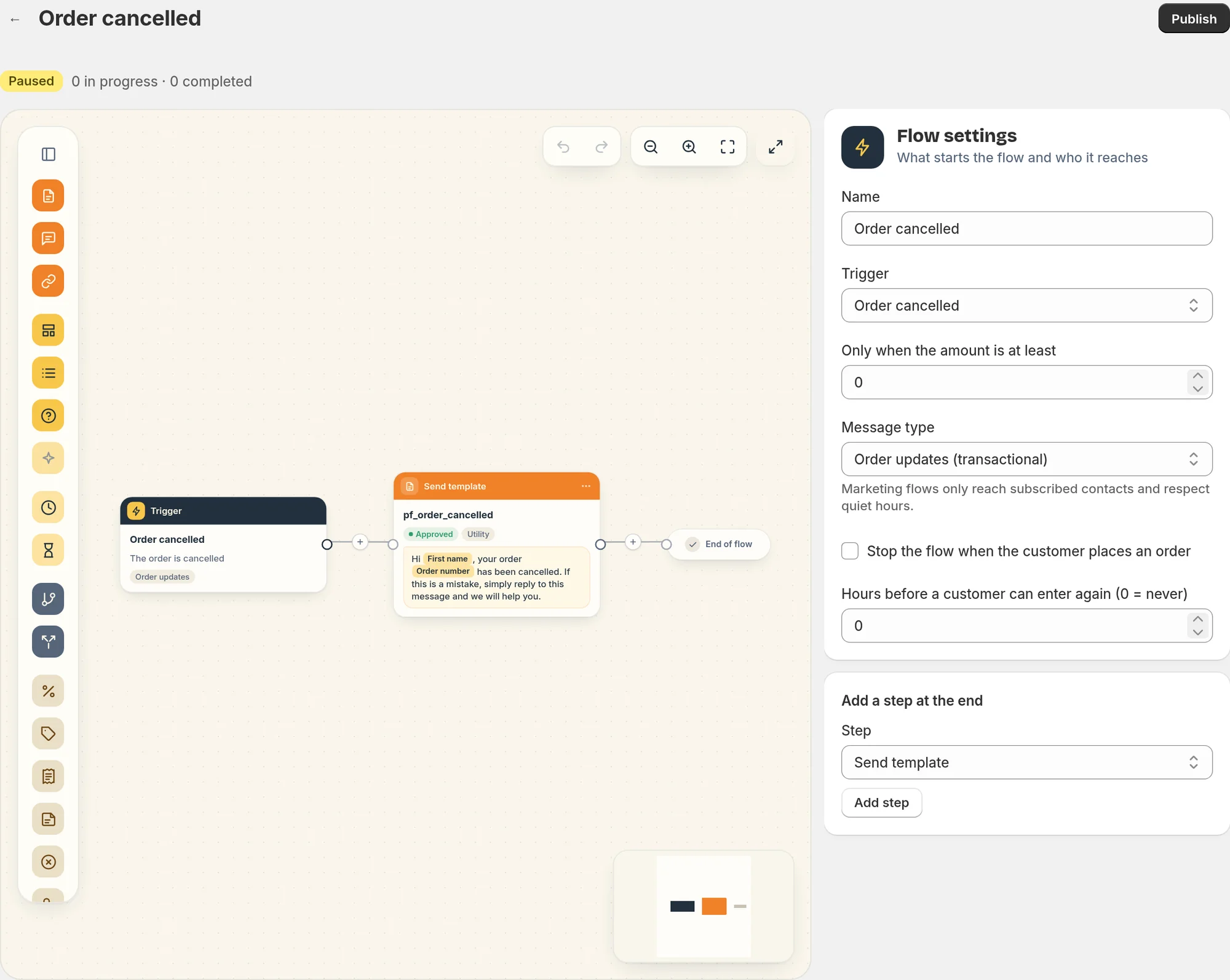
This recipe sends a WhatsApp message when an order is cancelled in Shopify. It is an order update flow, available from the Starter plan.
The message
The flow starts on the Order cancelled trigger and sends one message right away.
"Hi Marie, your order #1042 has been cancelled. If this is a mistake, simply reply to this message and we will help you."
When the first name is missing, it says "Hi there".
When the customer replies
The reply lands in your Inbox, like any other WhatsApp message. Because the customer wrote to you, you can answer them freely for the next 24 hours. See The inbox.
Who receives it
Order updates go to customers subscribed to your WhatsApp messages, or to every customer with a phone number if you turn on I inform customers at checkout that order updates are sent on WhatsApp in Settings > Order messages and consent.
The message goes out whatever the reason of the cancellation, including cancellations made by Piaflo itself.
Turn it on
- Connect your WhatsApp number: Connect your WhatsApp number.
- Go to Flows and click Activate on Order cancelled.
Change it
Open the flow from Your flows, edit it, then click Publish.
- The wording: create a new template in Templates, wait for Meta's approval, then choose it in the message step.
- Different messages by reason: the trigger gives you the Cancel reason of the order. Add a Condition step on
order.cancel_reasonto send a different template, for example when the reason iscustomer. - Only for larger orders: set Only when the amount is at least in the trigger settings.
 Still stuck? Write to us with the flow name or the order number involved.