Welcome new subscribers
The recipe that greets every new WhatsApp subscriber right after they opt in. A marketing flow, available from the Starter plan.
On this page 5
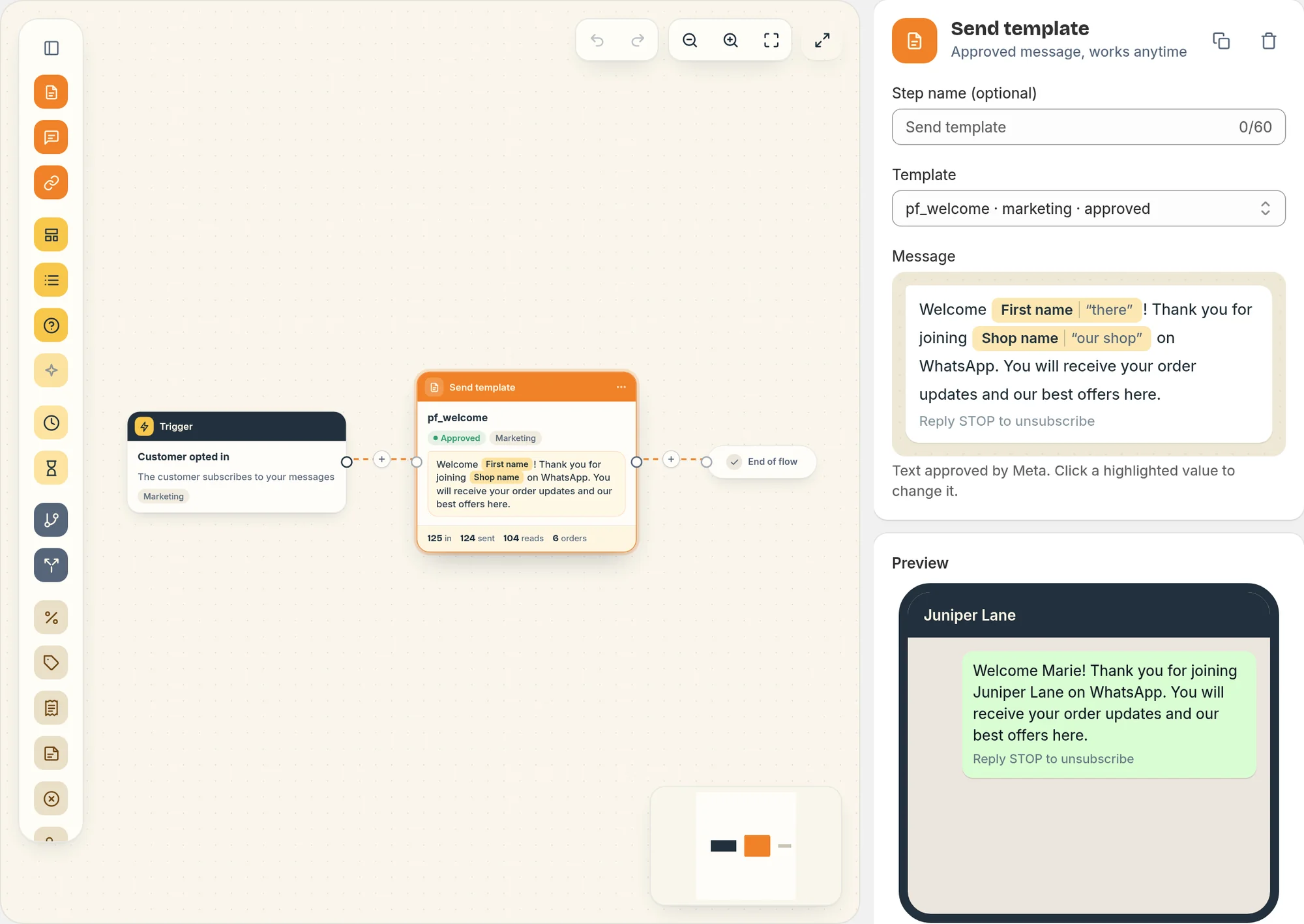
This recipe sends a welcome message to each customer who subscribes to your WhatsApp marketing messages. It is a marketing flow, available from the Starter plan.
The message
The flow starts on the Customer opted in trigger and sends:
"Welcome Marie! Thank you for joining Maison Lune on WhatsApp. You will receive your order updates and our best offers here."
It ends with "Reply STOP to unsubscribe". When the first name is missing, it says "Welcome there!", so you may prefer a template without the name if many subscribers come from the popup without one.
What starts it
The Customer opted in trigger fires when a customer becomes a subscriber in Piaflo:
- they sign up with the opt-in popup on your store;
- they send START (or another start word such as "join", "subscribe" or "unstop") on WhatsApp;
- they tap Yes in a flow that subscribes them, such as Order confirmation with opt-in;
- they place an order and Shopify already records their WhatsApp marketing consent, or they ticked the text message marketing box at checkout and Subscribe customers who tick the text message marketing box at checkout is on in Settings > Order messages and consent.
Contacts you import from a CSV file are subscribed without starting this flow, so an import does not send a welcome to everyone at once.
Timing
As a marketing flow, the welcome follows your rules in Settings > Sending rules:
- a customer who subscribes during quiet hours (21:00 to 9:00 by default) gets the message after they end;
- it counts toward the weekly marketing limit per customer.
Turn it on
- Connect your WhatsApp number: Connect your WhatsApp number.
- Go to Flows and click Activate on Welcome new subscribers.
Change it
Open the flow from Your flows, edit it, then click Publish.
- Add a welcome discount: add a Create discount code step before the message, then use a template that contains the Discount code variable. Each subscriber gets a unique single-use code. See Steps.
- Different messages by source: the trigger gives you the Opt-in source (for example
widget,keyword_start,flow). Add a Condition step oncontact.sourceto split the welcome. - The wording: create a new marketing template in Templates, wait for Meta's approval, then choose it in the message step.
 Still stuck? Write to us with the flow name or the order number involved.