Shipping update
The recipe that tells customers their order has shipped, with the carrier and the tracking link. It is an order update, available on every plan.
On this page 5
This recipe sends a WhatsApp message when you fulfill an order in Shopify, with the carrier and a link to track the parcel. It is an order update flow, included in the Free plan.
The message
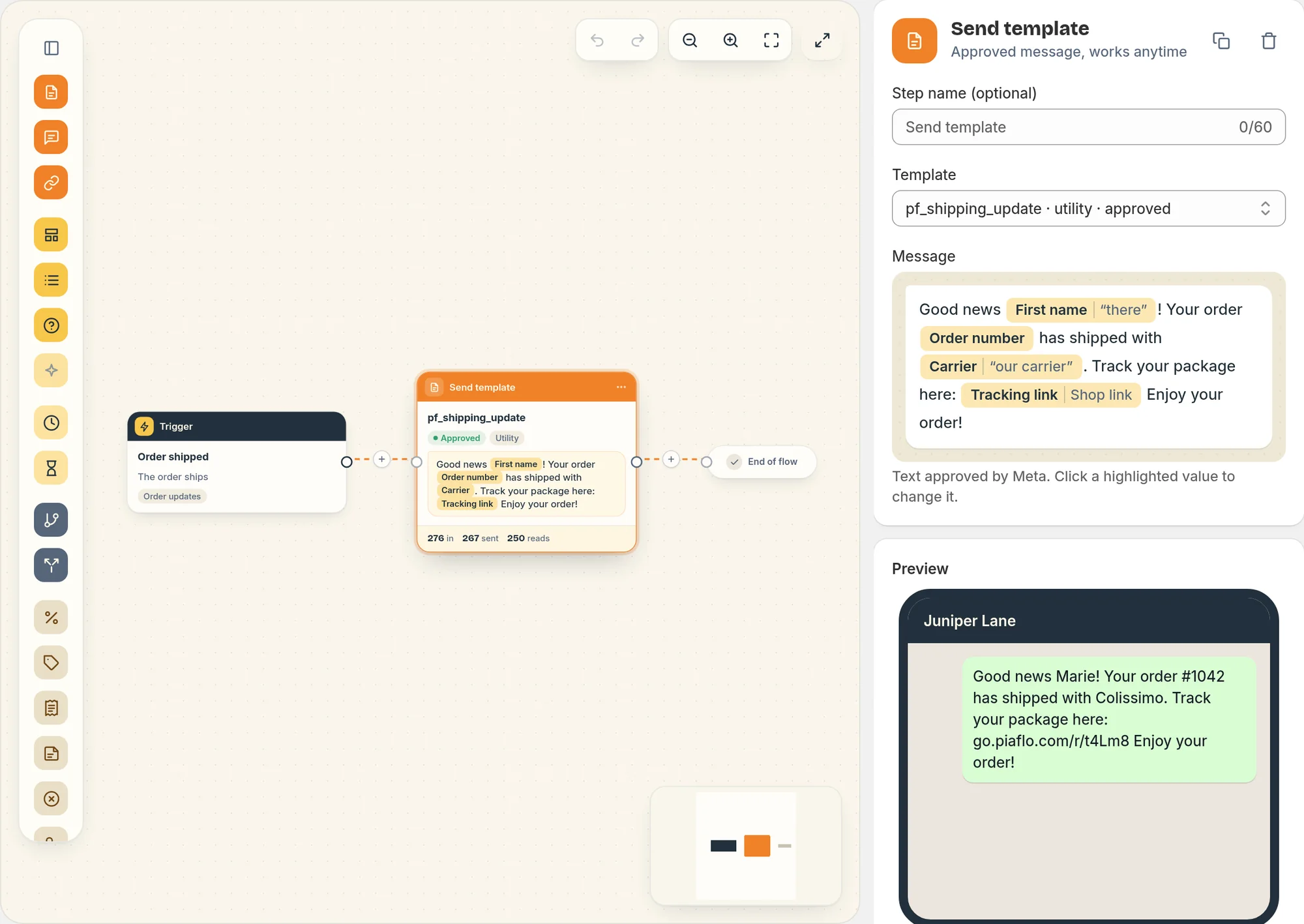
The flow starts on the Order shipped trigger and sends one message right away.
"Good news Marie! Your order #1042 has shipped with Colissimo. Track your package here: (link) Enjoy your order!"
Where each value comes from:
| In the message | Taken from | When it is missing |
|---|---|---|
| First name | The customer in Shopify | "there" |
| Order number | The order | "-" |
| Carrier | The tracking company of the fulfillment | "our carrier" |
| Link | The tracking URL of the fulfillment | The order status page, then your store |
Links are replaced by short tracked links, so you see clicks in the flow report.
When it is sent
Piaflo sends the message when a fulfillment is created for the order in Shopify, whether you mark it as fulfilled yourself or a fulfillment app does it.
- Several parcels: each fulfillment starts the flow again, so the customer gets one message per parcel.
- Tracking added later: the message uses the tracking details present when the fulfillment is created. Adding a tracking number to an existing fulfillment does not send a new message, so add the tracking when you fulfill.
Who receives it
Order updates go to customers subscribed to your WhatsApp messages, or to every customer with a phone number if you turn on I inform customers at checkout that order updates are sent on WhatsApp in Settings > Order messages and consent.
Turn it on
- Connect your WhatsApp number: Connect your WhatsApp number.
- Go to Flows and click Activate on Shipping update.
Change it
Open the flow from Your flows, edit it, then click Publish.
- The wording: create a new template in Templates, wait for Meta's approval, then choose it in the message step.
- Ask for a review later: the Review request recipe also starts when an order ships and writes five days later.
 Still stuck? Write to us with the flow name or the order number involved.