Opt-in results
How many customers are subscribed to your WhatsApp messages, where they subscribed, and how your subscriber count moves over time.
On this page 3
Two places show how your WhatsApp subscriber list grows: the Results section of Opt-in tools for the totals by source, and Analytics for the movement over a period.
Opt-in tools > Results
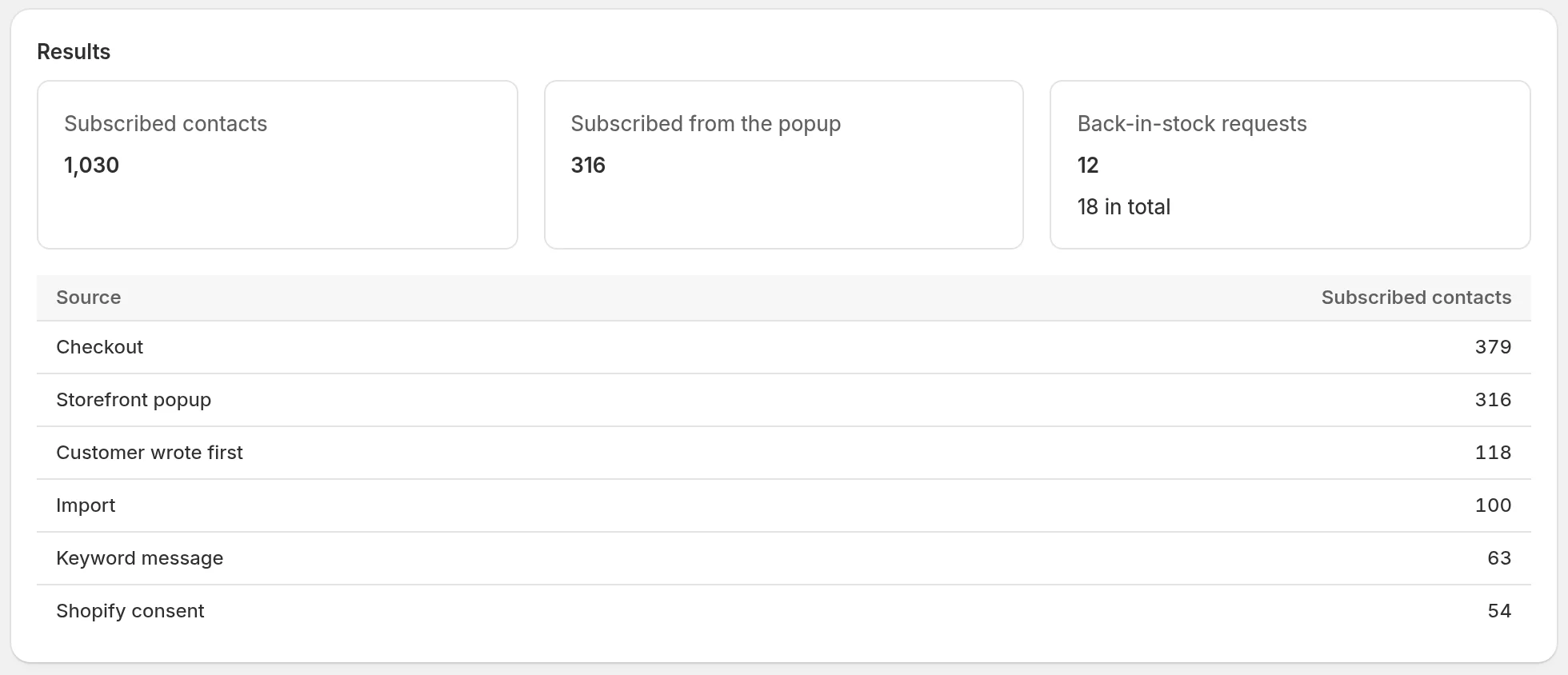
- Subscribed contacts: every contact currently subscribed to your WhatsApp messages.
- Subscribed from the popup: the part of them who subscribed through the signup popup.
The table below splits the subscribed contacts by Source, the way they last subscribed:
| Source | Where they subscribed |
|---|---|
| Storefront popup | The signup popup on your store |
| Shopify consent | They had already given WhatsApp consent in Shopify, and Piaflo picked it up from their Shopify customer record (on an order, or when you import a Shopify segment) |
| Import | A CSV import where you confirmed the contacts had given consent |
| Other | Every other way: a "Yes" to the Order confirmation with opt-in recipe or to another subscribe step in a flow, a START message, or the text message marketing box at checkout when you turned on Subscribe customers who tick the text message marketing box at checkout |
The counts only include contacts who are subscribed today. A customer who replied STOP leaves the table.
Analytics > Subscribers
In Analytics, the Subscribers section follows your list over the period you choose:
- WhatsApp subscribers: everyone subscribed today.
- New subscribers: contacts who subscribed during the period.
- Unsubscribed: contacts who unsubscribed during the period. after a message tells how many of them did it within 7 days of a message from a flow or a campaign.
- The chart New WhatsApp subscribers per day.
A rising after a message count is a sign that some messages are sent too often or to the wrong people. See Protect your number's quality.
Go further
- See whether each month's new subscribers end up buying: Subscriber cohorts (Growth plan).
- See and filter every contact, with their consent and source: The contact list.
 Still stuck? Write to us with the flow name or the order number involved.