Order confirmation
The recipe that confirms every new order on WhatsApp, with a link to the order status page. It is an order update, available on every plan.
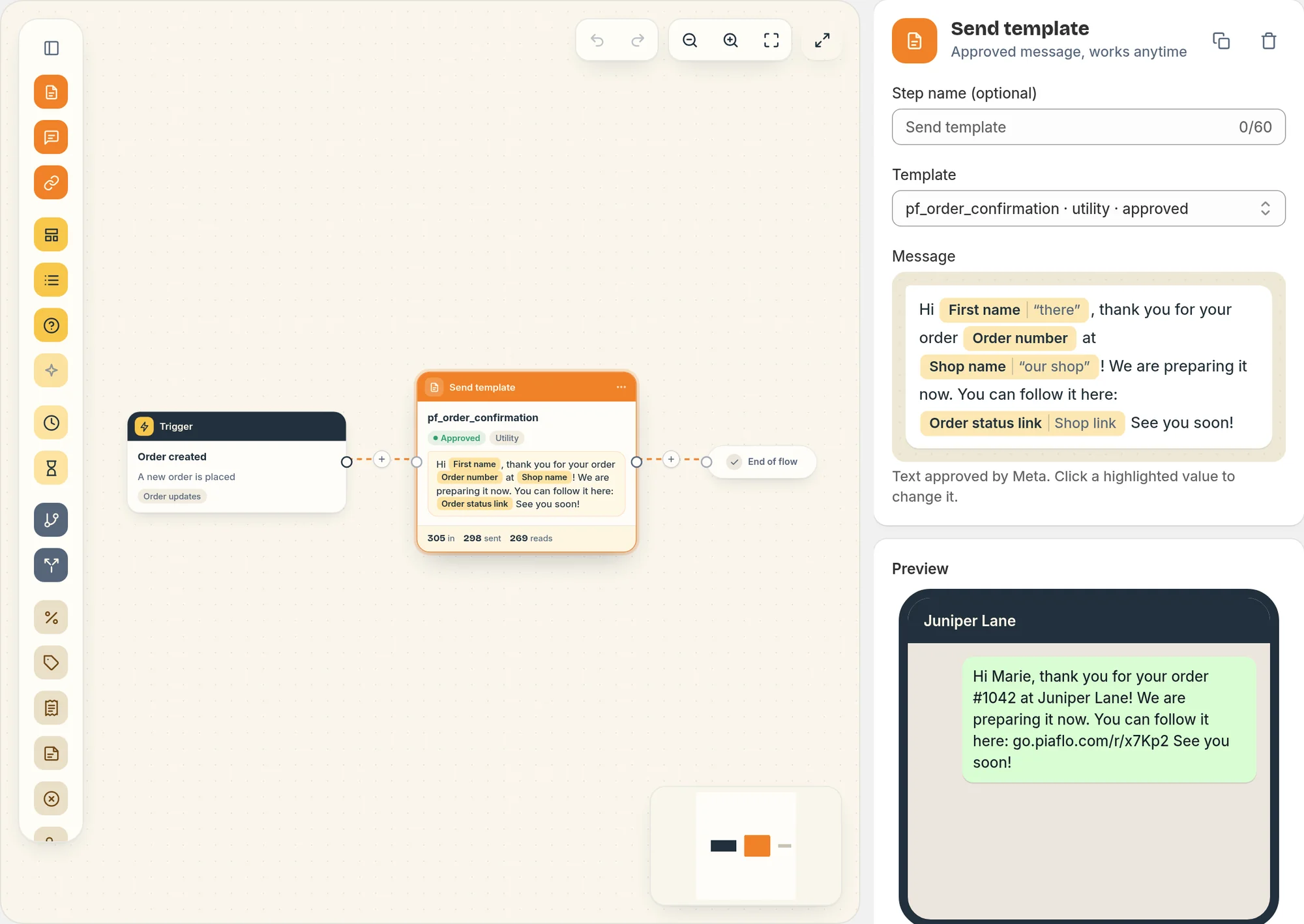
This recipe sends one WhatsApp message as soon as a customer places an order: a thank you, the order number and a link to follow the order. It is an order update flow, included in the Free plan.
The message
The flow has a single step. It starts on the Order created trigger and sends the message right away, day or night.
"Hi Marie, thank you for your order #1042 at Maison Lune! We are preparing it now. You can follow it here: (link) See you soon!"
Piaflo fills in the customer's first name, the order number, your store name and the link to the order status page. When a value is missing:
- no first name: the message says "Hi there";
- no store name: "our shop";
- no order status link: a link to your store.
The template is submitted to Meta in English and French. Each customer gets their own language when Piaflo knows it, otherwise your store's language.
Who receives it
Order updates go to customers subscribed to your WhatsApp messages. To send them to every customer with a phone number, turn on I inform customers at checkout that order updates are sent on WhatsApp in Settings > Order messages and consent. Until you do, the flow editor shows a reminder at the top of the flow.
The customer also needs a phone number on the order and must not have replied STOP.
Turn it on
- Connect your WhatsApp number first: Connect your WhatsApp number.
- Go to Flows and find Order confirmation among the recipes.
- Click Activate.
Piaflo submits the template to Meta and publishes the flow. Orders placed before Meta approves the template keep their message, which goes out once approval comes through, if it comes within 24 hours.
Change it
Open the flow from Your flows, then click Publish when you are done.
- Only for larger orders: in the trigger settings, set Only when the amount is at least.
- The wording: the message is a WhatsApp template approved by Meta and cannot be edited once submitted. Create a new template in Templates, wait for approval, then choose it in the message step.
- Add steps: on paid plans you can add steps after the message. On the Free plan, a flow sends a single message.
Common questions
Does the order confirmation bring revenue in Analytics? No. Order updates are not credited with revenue, because the customer had already bought. Their results show as messages sent, reads and replies.
What if a customer orders twice in a row? Each order gets its own confirmation.
 Still stuck? Write to us with the flow name or the order number involved.