Plans and billing
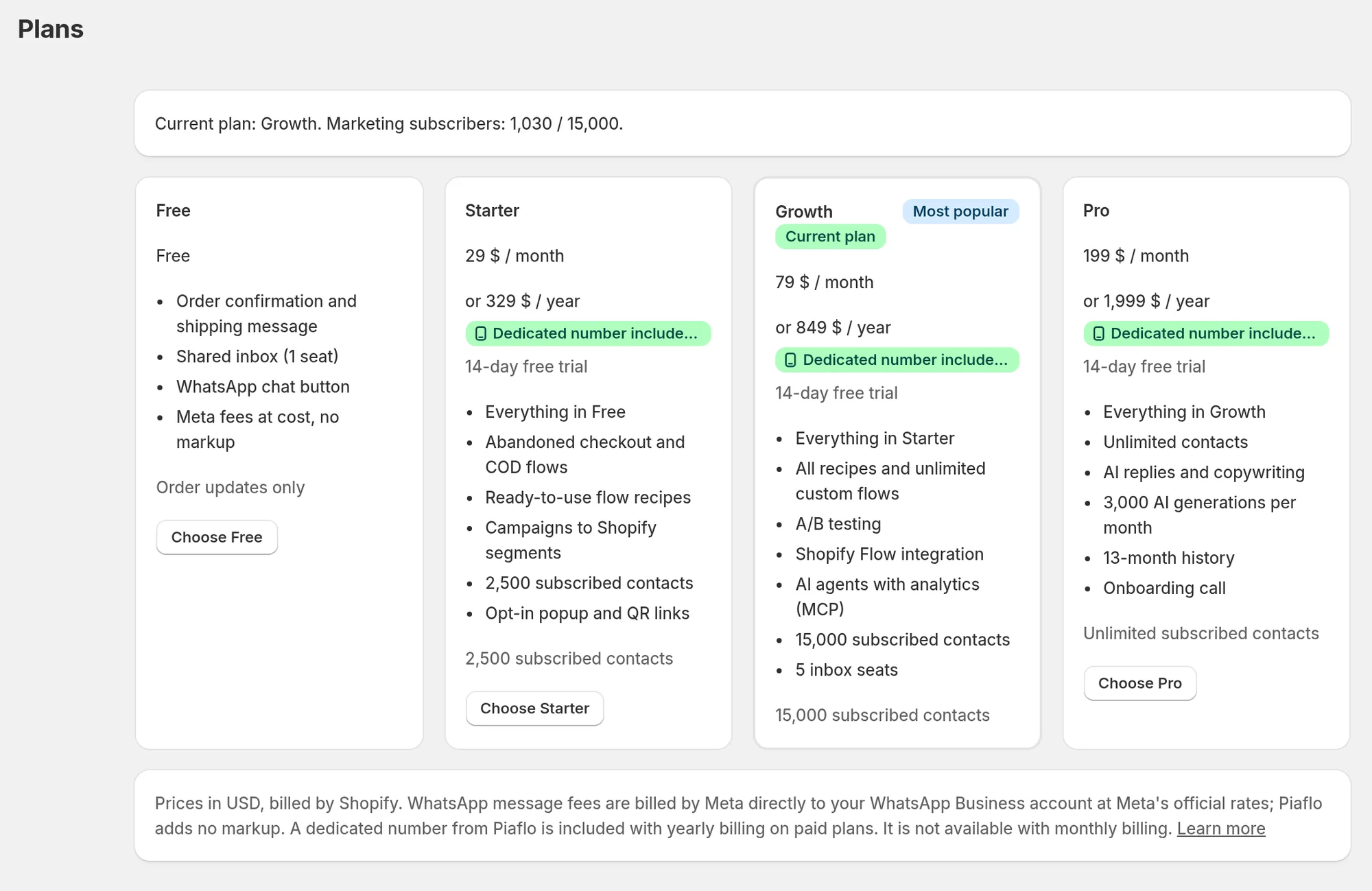
Piaflo has four plans, billed by Shopify, monthly or yearly There is no trial on paid plans: the Free plan has no time limit. WhatsApp message fees are billed separately by Meta. Here is what each plan includes and how to change.
You pay two separate bills for WhatsApp with Piaflo:
- Your Piaflo plan, billed by Shopify with your other apps.
- WhatsApp message fees, billed by Meta directly to your WhatsApp Business account at Meta's official rates. Piaflo adds no markup. See Meta payment method and display name.
The plans
Prices are in USD. There is no trial on paid plans: start on the Free plan, which has no time limit, and upgrade when you need more.
| Free | Starter | Growth | Pro | |
|---|---|---|---|---|
| Monthly price | $0 | $29 | $79 | $199 |
| Yearly price | $329 | $849 | $1,999 | |
| Subscribed contacts | Order updates only | 2,500 | 15,000 | Unlimited |
| Order confirmation and shipping update | Yes | Yes | Yes | Yes |
| Marketing flows (abandoned checkout, welcome, review request) and campaigns | Yes | Yes | Yes | |
| Custom flows | 3 | Unlimited | Unlimited | |
| A/B split in flows | Yes | Yes | ||
| Start flows from Shopify Flow | Yes | Yes | ||
| AI generations per month | 50 | 500 | 3,000 | |
| AI reply step in flows | Yes | |||
| Analytics history | 30 days | 90 days | 183 days | 396 days |
| Conversation history kept | 92 days | 92 days | 183 days | 396 days |
| Dedicated number | With yearly billing | With yearly billing | With yearly billing |
What the Free plan sends
Free sends order updates: the order confirmation and the shipping update. Each flow can send one message, and you can have one active flow per trigger. Marketing flows, campaigns, custom flows and the other recipes need Starter or above.
The WhatsApp chat button on your store and the shared inbox work on every plan. The opt-in popup needs Starter or above.
Subscribed contacts
The contact limit counts customers subscribed to your WhatsApp marketing. When you reach it, Contacts shows Subscriber limit reached: new subscribers are still recorded, but each campaign only reaches as many subscribers as your plan allows.
AI generations
AI generations cover AI help such as template writing and reply suggestions. The counter resets each calendar month. A generation that fails is not counted.
Analytics by plan
- From Starter: return on Meta cost, funnels, and flow and campaign reports.
- From Growth: results on each step of a flow, subscriber cohorts, CSV export, custom date ranges and detailed analytics for AI agents.
Change your plan
- Open the Plans page from the Plans link at the bottom of the WhatsApp health box on Home. The page shows your current plan and how many marketing subscribers you have.
- Click Choose Starter, Choose Growth or Choose Pro. Shopify's plan page opens.
- Pick monthly or yearly billing and approve the charge in Shopify.
- Come back to Piaflo. The Plans page checks your subscription with Shopify each time you open it, so the new plan shows right away.
To downgrade or move to Free, use the same Shopify page.
Yearly billing and the dedicated number
Yearly billing on Starter, Growth or Pro includes one dedicated WhatsApp number rented by Piaflo. It is not available with monthly billing. If you move from yearly to monthly billing, or to Free, the number is released 30 days later unless you switch back. See Get a dedicated number.
 Still stuck? Write to us with the flow name or the order number involved.