WhatsApp link and QR code
A link that opens a WhatsApp chat with your store, to share in emails, social profiles and packaging, and its QR code to print (Starter plan).
On this page 3
Piaflo builds a chat link for your WhatsApp number. Anyone who opens it lands in a WhatsApp chat with your store, with your pre-filled message already typed. Use it wherever the chat button cannot be: emails, social profiles, packaging, receipts.
You find it in Opt-in tools, section WhatsApp chat link. It appears once your WhatsApp number is connected.
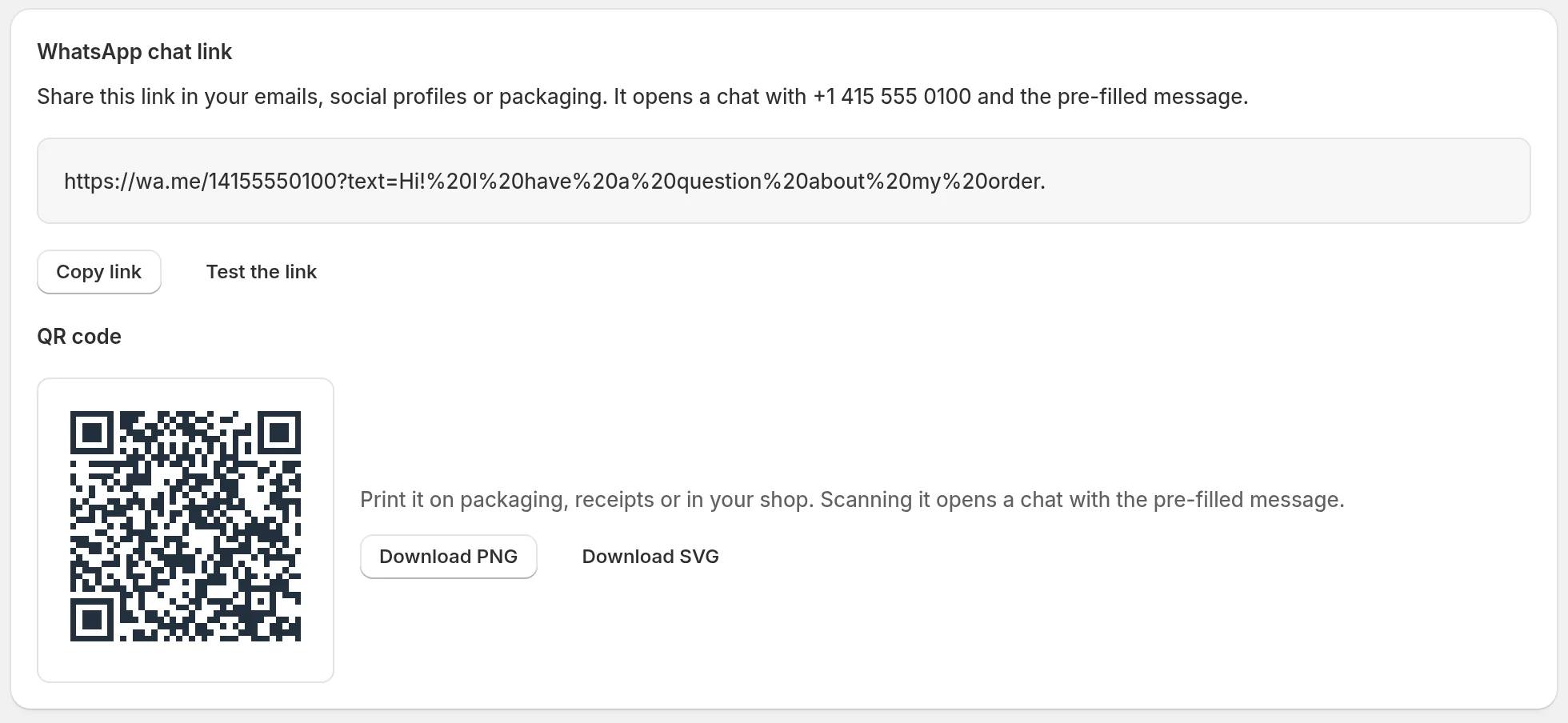
The link
The link has the form https://wa.me/ followed by your number, then the pre-filled message. That message is the Pre-filled message of the chat button, so editing it changes the link too.
- Copy link copies it.
- Test the link opens it, so you can check the chat and the message.
The link is included in every plan.
The QR code
Under the link, QR code shows a code that opens the same chat when scanned.
- Download PNG: an image of 1024 by 1024 pixels, for most uses.
- Download SVG: a vector file, for print at any size.
The QR code is included from the Starter plan. On the Free plan, the section shows a Starter plan badge and a See plans link.
What happens when a customer writes
- Their message arrives in your Inbox, and you can reply freely for 24 hours.
- Writing to you does not subscribe them to your marketing messages.
- If their message is exactly one of the keywords of an active keyword flow, that flow starts, unless automations are paused in that conversation (see Automation pause). Capital letters do not matter.
- If their message is START (or JOIN, SUBSCRIBE), Piaflo subscribes them to your WhatsApp messages and starts your Customer opted in flows.
 Still stuck? Write to us with the flow name or the order number involved.